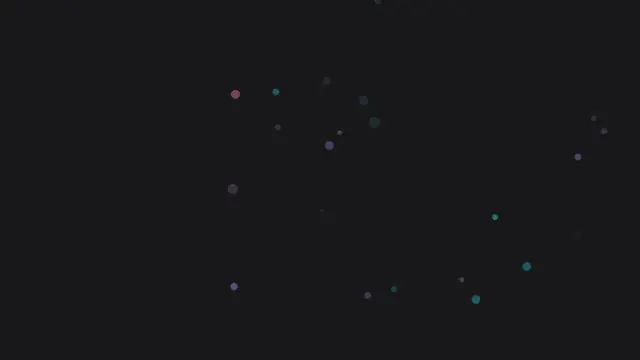
Fireworks
Live previewPerformance varies by device
No account needed to copy or download. Check dependencies and thelicense status before publishing.
<!doctype html>
<html lang="en">
  <head>
    <meta charset="utf-8">
    <title>Anime.js Fireworks</title>
    <style>
      /*
        Anime.js Fireworks
        ------------------
        This demonstration uses the anime.js library to create colourful
        fireworks on demand.  Clicking anywhere on the page triggers an
        explosion consisting of dozens of small circles that radiate
        outward, shrink and fade away.  After each animation finishes
        the DOM elements are removed to free up memory.
      */
      html, body {
        margin: 0;
        padding: 0;
        height: 100%;
        overflow: hidden;
        background: radial-gradient(circle at bottom, #050505, #000);
        cursor: pointer;
      }
      #fireworks {
        position: fixed;
        top: 0;
        left: 0;
        width: 100%;
        height: 100%;
        pointer-events: none;
      }
      .particle {
        position: absolute;
        width: 8px;
        height: 8px;
        border-radius: 50%;
        will-change: transform, opacity;
      }
    </style>
  </head>
  <body>
    <!-- Container for all particle elements -->
    <div id="fireworks"></div>
    <!-- Include anime.js from CDN.  A widely-used public CDN is used here. -->
    <script src="../vendor/anime-2.0.0.min.js"></script>
    <script>
      (function() {
        const container = document.getElementById('fireworks');
        const reducedMotion = matchMedia('(prefers-reduced-motion: reduce)').matches;
        // Generate a random colour for each particle.  We use the HSL
        // colour space for easily generating bright hues.
        function randomColour() {
          const hue = Math.floor(Math.random() * 360);
          return `hsl(${hue}, 100%, 60%)`;
        }
        // Create a single firework at (x, y).
        function createFirework(x, y) {
          const particleCount = 32;
          const particles = [];
          for (let i = 0; i < particleCount; i++) {
            const el = document.createElement('div');
            el.className = 'particle';
            el.style.backgroundColor = randomColour();
            el.style.left = `${x - 4}px`;
            el.style.top = `${y - 4}px`;
            container.appendChild(el);
            particles.push(el);
          }
          // Reduced motion: place the burst statically, no anime.js run.
          if (reducedMotion) {
            particles.forEach(function(el, i) {
              const angle = (i / particleCount) * Math.PI * 2;
              const radius = 40 + Math.random() * 140;
              el.style.transform = `translate(${Math.cos(angle) * radius}px, ${Math.sin(angle) * radius}px)`;
            });
            return;
          }
          // Animate the particles outward using anime.js.  Each particle
          // chooses a random destination radius and angle.  The scale
          // animates to zero while opacity fades.
          anime({
            targets: particles,
            translateX: function() {
              return anime.random(-200, 200);
            },
            translateY: function() {
              return anime.random(-200, 200);
            },
            scale: [1, 0],
            opacity: [1, 0],
            easing: 'easeOutExpo',
            duration: 1500,
            complete: function(anim) {
              // Remove elements after animation completes
              anim.animatables.forEach(function(a) {
                if (a.target.parentNode) {
                  a.target.parentNode.removeChild(a.target);
                }
              });
            }
          });
        }
        // Listen for click events to trigger fireworks
        document.addEventListener('click', function(e) {
          const rect = container.getBoundingClientRect();
          const x = e.clientX;
          const y = e.clientY;
          createFirework(x, y);
        });
        // Optional: automatically launch random fireworks periodically
        if (reducedMotion) {
          // One static burst as the representative frame; no auto-launch loop.
          createFirework(window.innerWidth / 2, window.innerHeight * 0.4);
        } else {
          // Opening volley on load so the resting frame is never a
          // black void: one burst immediately, then a burst every
          // 500ms for the first 3s (particles fade fast under
          // easeOutExpo, so the volley keeps a young burst in frame);
          // the 4-second auto-launch loop then continues as before.
          createFirework(window.innerWidth / 2, window.innerHeight * 0.4);
          [500, 1000, 1500, 2000, 2500, 3000].forEach((delay) => {
            setTimeout(() => {
              createFirework(
                window.innerWidth * (0.3 + Math.random() * 0.4),
                window.innerHeight * (0.25 + Math.random() * 0.35)
              );
            }, delay);
          });
          setInterval(() => {
            const x = Math.random() * window.innerWidth;
            const y = Math.random() * window.innerHeight * 0.7;
            createFirework(x, y);
          }, 4000);
        }
      })();
    </script>
</body>
</html>About this animation
Anime.js powered fireworks demonstration.
Under the hood
DOM Fireworks with Anime.js
Using
Anime.js 2.0.0 (vendored locally), a click or an automatic 4-second interval creates 32 circular div particles in random hsl() colours at the burst point. A single anime() call animates translateX and translateY via anime.random(-200, 200), plus scale and opacity to zero with easeOutExpo over 1500ms, then removes the elements on complete. An opening volley — one burst immediately on load, then one every 500ms for the first 3 seconds — precedes the 4-second interval so the page never rests on a black screen.Related