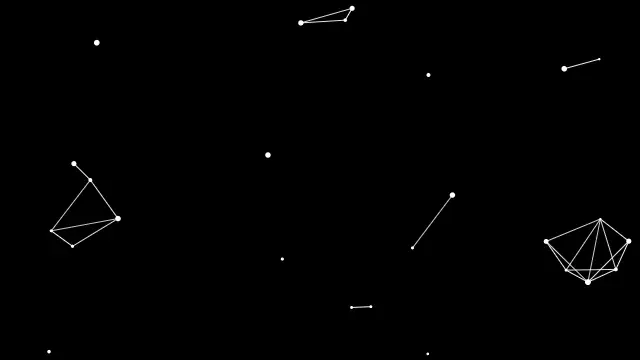
Particle Flow
Live previewPerformance varies by device
No account needed to copy or download. Check dependencies and thelicense status before publishing.
<!DOCTYPE html>
<html lang="en">
<head>
    <meta charset="UTF-8">
    <meta name="viewport" content="width=device-width, initial-scale=1.0">
    <title>Abstract Particle Flow Animation</title>
    <style>
        body {
            margin: 0;
            overflow: hidden;
            background: linear-gradient(45deg, #1a0033, #000000, #33001a); /* Deep, rich gradient background */
            /* You could also use a subtle noise texture background for more depth */
        }
        canvas {
            display: block;
            background: radial-gradient(circle at center, rgba(0,0,0,0.2) 0%, rgba(0,0,0,0.8) 100%); /* Adds depth to the canvas itself */
        }
    </style>
</head>
<body>
    <canvas id="particleCanvas"></canvas>
    <script>
        const canvas = document.getElementById('particleCanvas');
        const ctx = canvas.getContext('2d');
        let width = window.innerWidth;
        let height = window.innerHeight;
        canvas.width = width;
        canvas.height = height;
        window.addEventListener('resize', () => {
            width = window.innerWidth;
            height = window.innerHeight;
            canvas.width = width;
            canvas.height = height;
        });
        const particles = [];
        const numParticles = 150; // Increased particle count for denser effect
        const connectionDistance = 120; // Max distance for particles to connect
        const mouseRadius = 200; // Radius around mouse to attract/repel particles (optional interaction)
        // Particle class
        class Particle {
            constructor(x, y) {
                this.x = x || Math.random() * width;
                this.y = y || Math.random() * height;
                this.size = Math.random() * 2 + 1; // Smaller, more varied sizes
                this.speedX = (Math.random() - 0.5) * 1.5; // Slower, smoother movement
                this.speedY = (Math.random() - 0.5) * 1.5;
                // Richer, more abstract color palette
                const colors = ['#8A2BE2', '#FF69B4', '#00FFFF', '#FFD700', '#ADFF2F'];
                this.color = colors[Math.floor(Math.random() * colors.length)];
                this.opacity = Math.random() * 0.7 + 0.3; // Varied opacities
            }
            update() {
                this.x += this.speedX;
                this.y += this.speedY;
                // Bounce off walls
                if (this.x > width || this.x < 0) {
                    this.speedX *= -1;
                }
                if (this.y > height || this.y < 0) {
                    this.speedY *= -1;
                }
            }
            draw() {
                ctx.fillStyle = this.color;
                ctx.globalAlpha = this.opacity;
                ctx.beginPath();
                ctx.arc(this.x, this.y, this.size, 0, Math.PI * 2);
                ctx.fill();
            }
        }
        // Initialize particles
        function init() {
            for (let i = 0; i < numParticles; i++) {
                particles.push(new Particle());
            }
        }
        // Connect particles with lines
        function connectParticles() {
            let opacityValue = 1;
            for (let a = 0; a < particles.length; a++) {
                for (let b = a; b < particles.length; b++) {
                    let distance = ((particles[a].x - particles[b].x) * (particles[a].x - particles[b].x))
                                 + ((particles[a].y - particles[b].y) * (particles[a].y - particles[b].y));
                    if (distance < connectionDistance * connectionDistance) {
                        opacityValue = 1 - (distance / (connectionDistance * connectionDistance));
                        ctx.strokeStyle = `rgba(255, 255, 255, ${opacityValue * 0.3})`; // Subtle white lines
                        ctx.lineWidth = 0.5; // Thinner lines
                        ctx.beginPath();
                        ctx.moveTo(particles[a].x, particles[a].y);
                        ctx.lineTo(particles[b].x, particles[b].y);
                        ctx.stroke();
                    }
                }
            }
        }
        // Animation loop
        const reducedMotion = matchMedia('(prefers-reduced-motion: reduce)').matches;
        function animate() {
            if (!reducedMotion) requestAnimationFrame(animate);
            ctx.clearRect(0, 0, width, height); // Clear for fresh frame
            // Optional: Draw a subtle, moving gradient overlay for more depth
            const gradient = ctx.createRadialGradient(width/2, height/2, 0, width/2, height/2, Math.max(width, height) / 2);
            gradient.addColorStop(0, 'rgba(0,0,0,0.05)');
            gradient.addColorStop(1, 'rgba(0,0,0,0.2)');
            ctx.fillStyle = gradient;
            ctx.fillRect(0, 0, width, height);
            connectParticles(); // Draw connections first so particles are on top
            particles.forEach(particle => {
                particle.update();
                particle.draw();
            });
        }
        init();
        animate();
    </script>
</body>
</html>About this animation
Canvas particles trace curved vector streams with soft alpha trails for subtle organic hero backgrounds.
Under the hood
Canvas-Based Particle Kinematics
This animation uses the HTML5
requestAnimationFrame loop that updates each particle's (x, y) position and bounces it off the edges. When particles are close, the script compares their squared distance against connectionDistance of 120 and draws a faint connecting line, generating an organic, networked constellation.